



Alliance
The alliance is where you can team up with other players to take down the alliance boss, aka “The Vault”. The boss is practically impossible to defeat alone, so the goal is to do as much damage as possible, which means your team needs to survive for as long as they can. The more damage you do, the better the rewards. Reach certain damage thresholds as an alliance to receive double rewards for the different stages. You can also earn energy just by signing in daily. For more tips on alliance boss combat, see our Vault guide here.
How to battle the Alliance Boss
There are 2 ways to enter the Alliance Boss encounter:
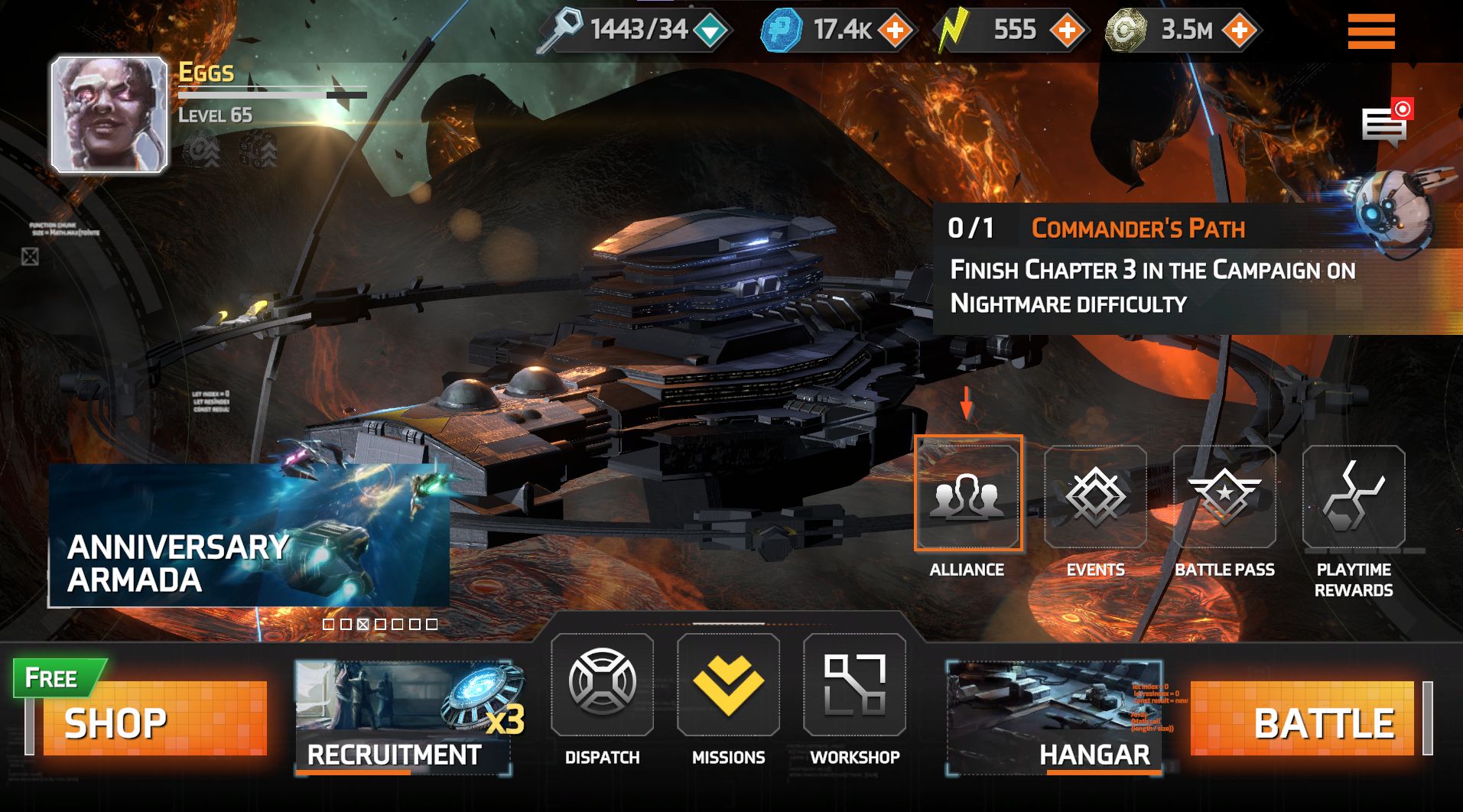
- Tap the “Alliance” tab on the main hub (highlighted below) and tap “Go To” in the top right.
- Go to the “Battle” panel and select "Alliance Raids", then tap "Vault". This action will take you directly to the “Alliance Raid” tab.
Find out more about battling the Alliance Boss here
Daily check-in
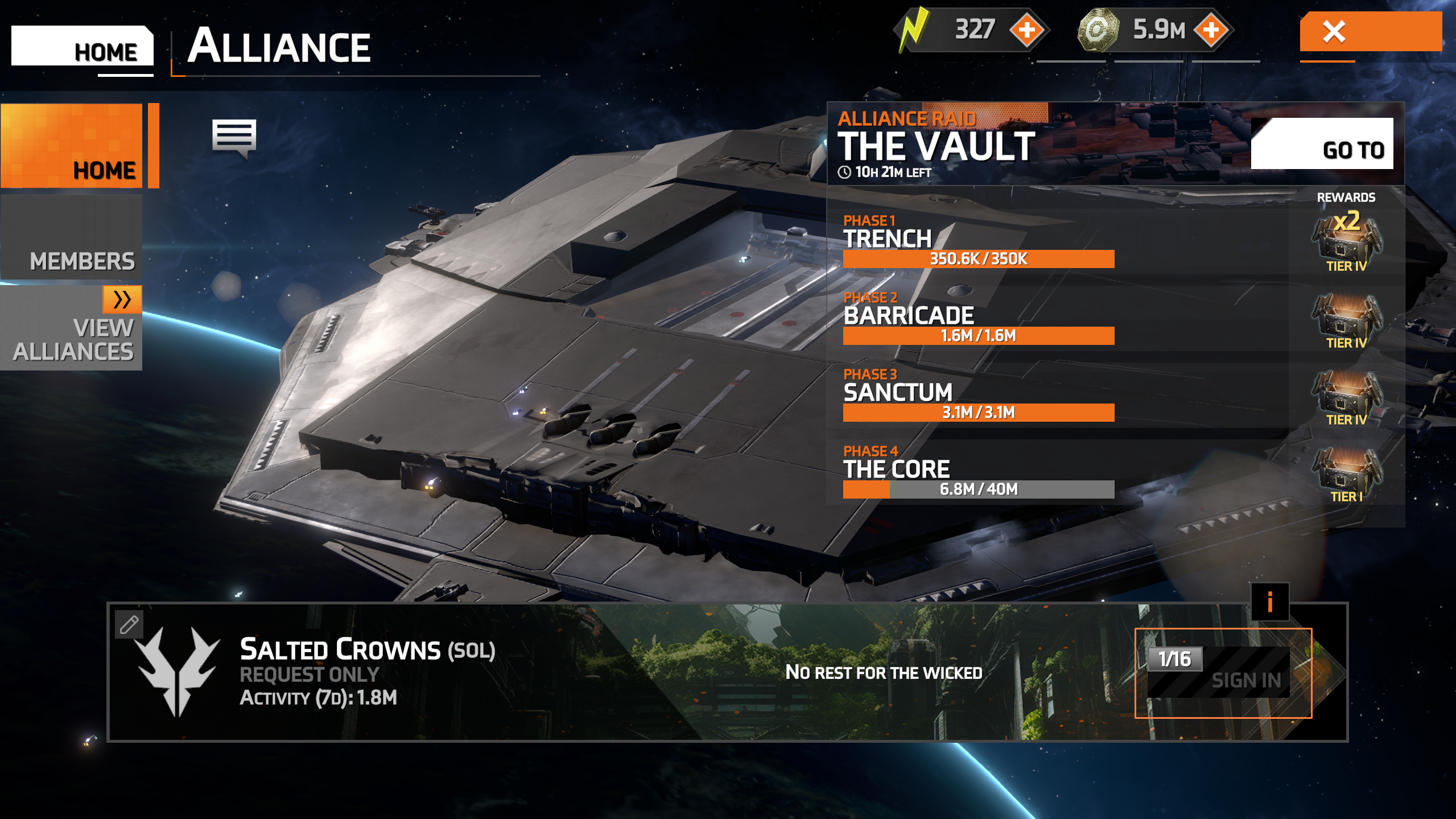
Sign in to receive energy and increase your energy reward for the following day.
- To sign in, go to “Alliance” and select the “Home” button.
- Select the "Sign in" button.
- This can only be done once a day.
Possible rewards
The rewards and number of rewards are determined both by the amount of damage done and reward tier reached, as well as the double reward unlock reached by the alliance as a whole.
Rewards can include:
- Voidbreach Catalys crafting material
- Gear
- Credits
- Exp bits
- Arena tokens
- Mainframe upgrades
- Platinum
- Specialist Beacons
- Refit kits
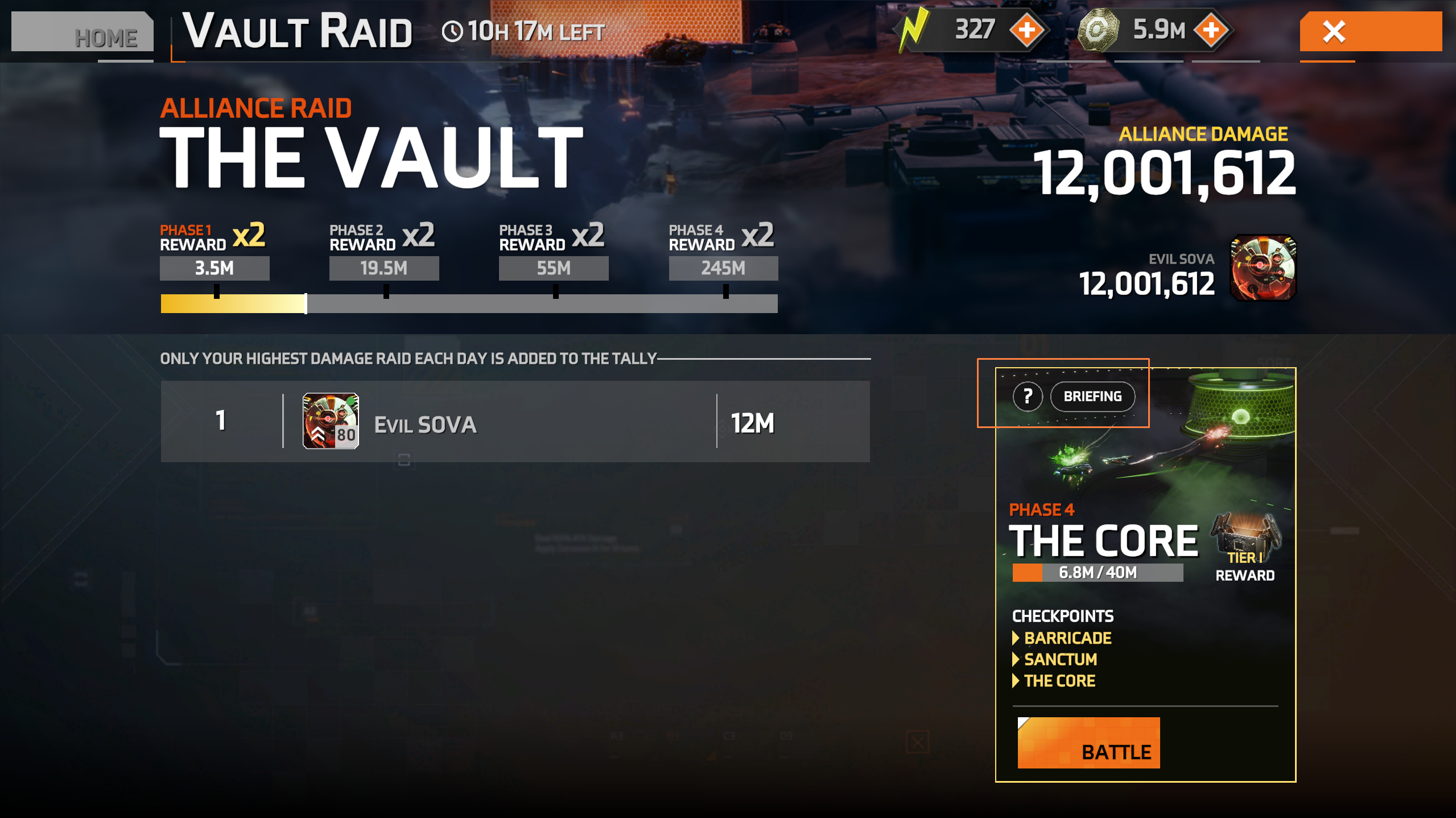
For more information on the rewards and damage needed to claim them, as well as encounter mechanics information, tap/click the "Briefing" button highlighted below in the Alliance Raid screen.
Joining an alliance
To join an alliance, you first need to unlock the alliance feature. You can unlock this feature by completing campaign stage 6 of the MPL Industrial Zone chapter in normal difficulty. Follow the steps below to join an alliance.
- Tap the "Alliance" button on the "Main Hub".
- Select "Quick Join" to automatically be placed in an alliance (If no alliance is available, one will automatically be created with you as the leader).
- Use the search feature to browse available alliances.
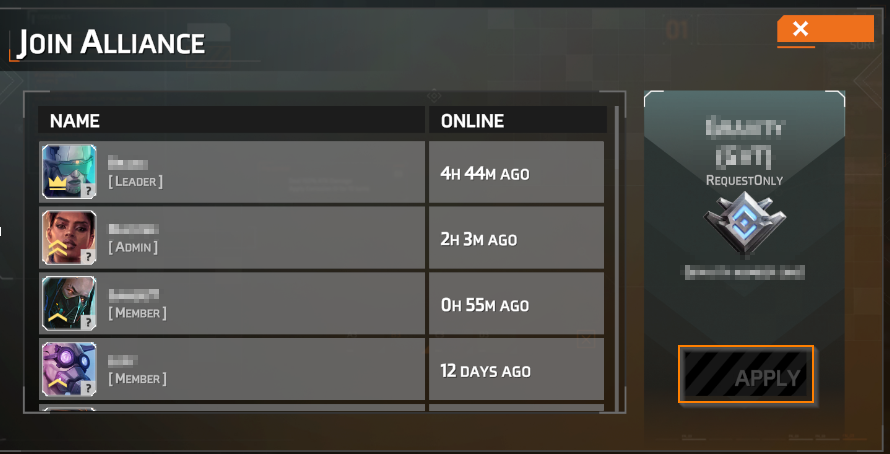
- Tap your chosen alliance and tap "apply" (highlighted below).
Note: You can only apply to and be a member of one alliance at a time.
Leaving an alliance
To leave an alliance:
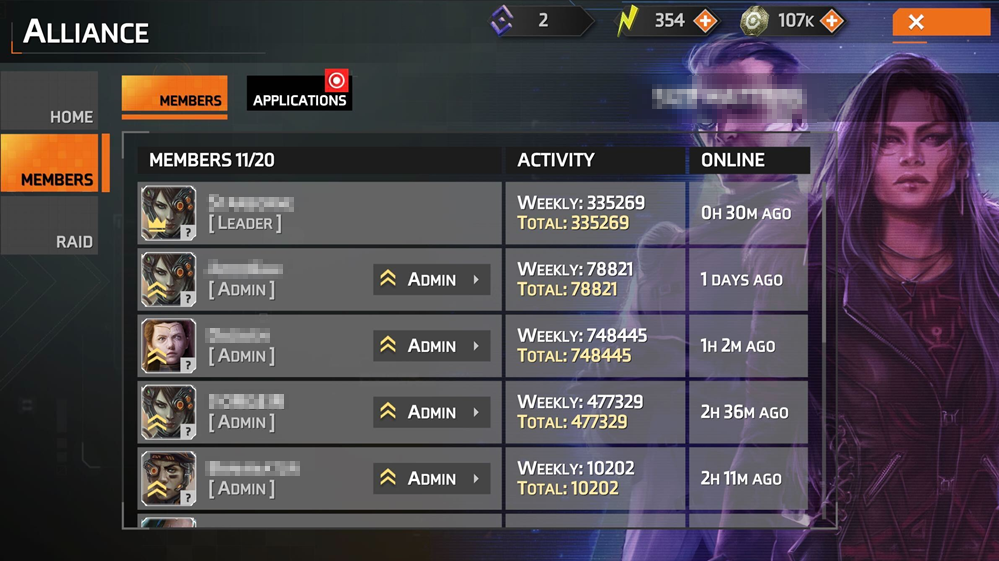
- Tap your name on the “Members” tab (shown below)
- Tap “Leave” on the pop-up window
Create an alliance
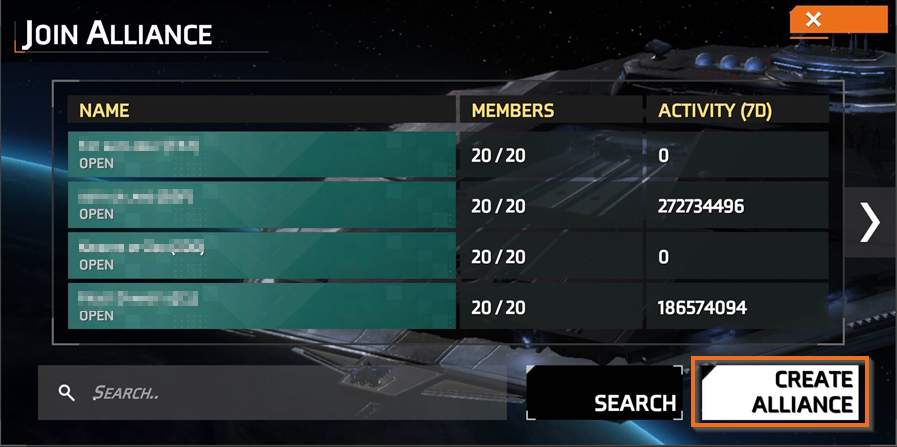
To create an alliance, follow the steps below:
- Select “Alliance”
- Select the “Search” button
- Select “Create Alliance”
- Enter an alliance name (4-14 characters) and tag (3-3 characters)
Edit alliance details
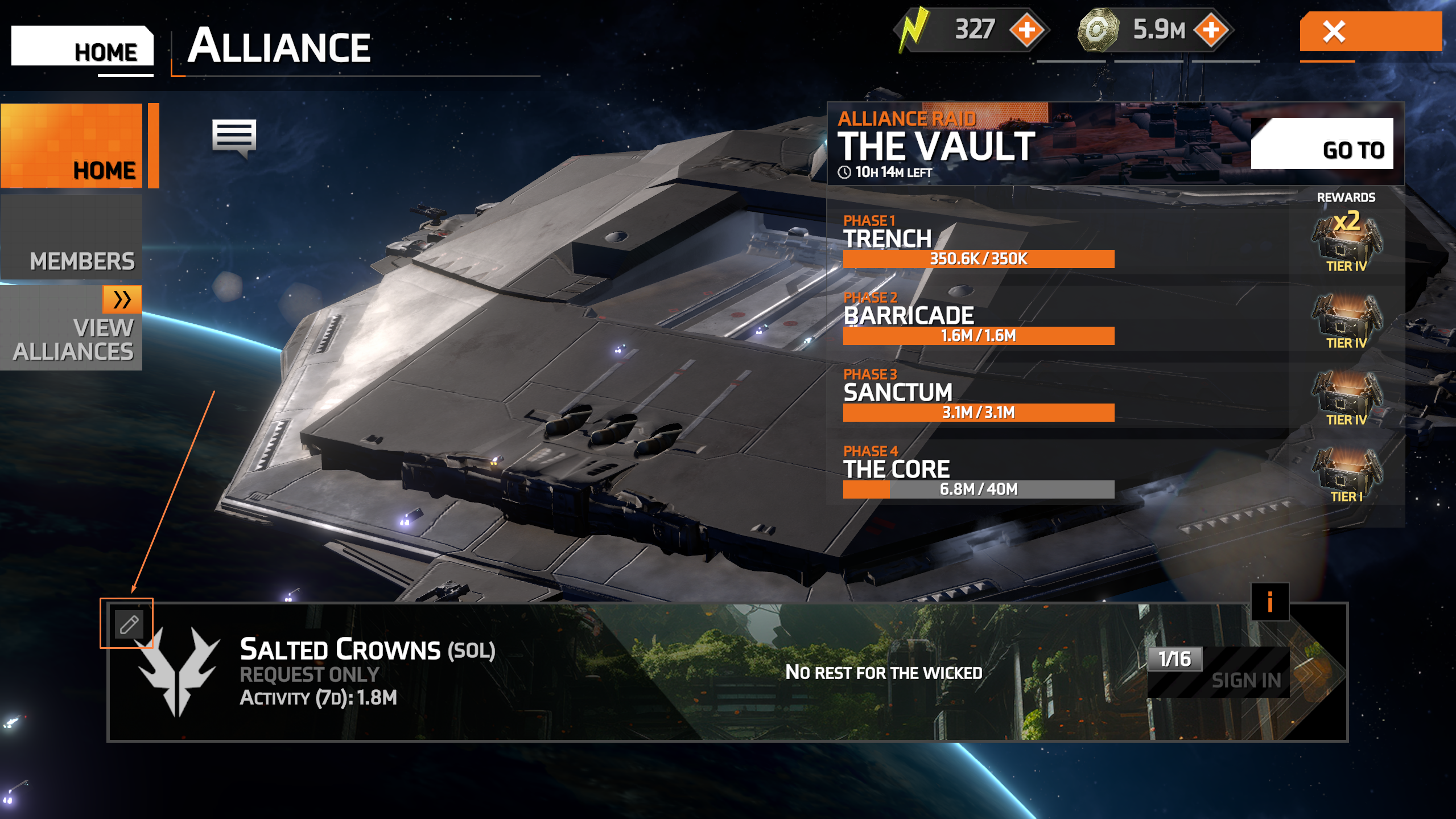
To edit your alliance, tap the “Edit” button (highlighted below). You can make the following changes via the edit panel:
- Change your alliance name or tag and add a message of the day.
- Check “Anyone can join” to allow people to join your alliance without needing to be approved.
- Select “request only”, so all alliance requests need to be approved before members can join.
Accept/decline alliance applications
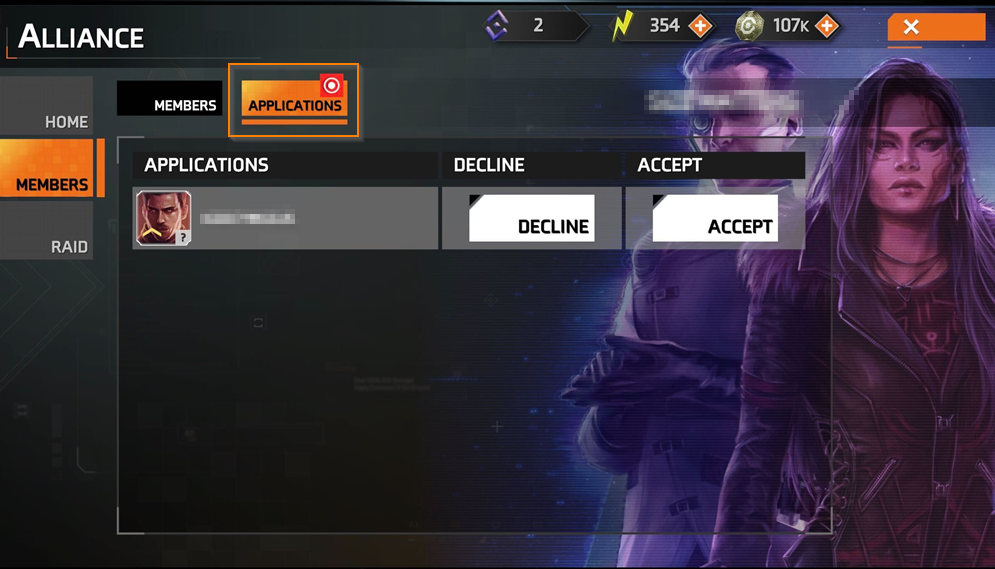
To manage Applications, go to the “Applications” tab, where you can accept or decline requests to join your alliance.
Manage member roles
To manage member roles, navigate to the “Members” tab, where you can promote members to admin or leader, or demote them to member.
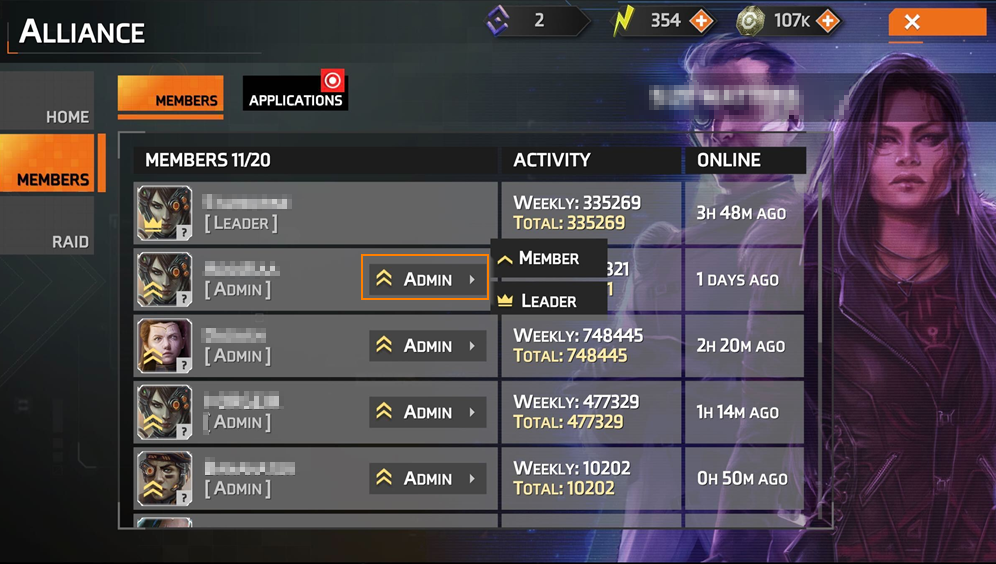
Each role has the following rights:
Admin rights
- Accept members
- Kick members
- Change announcements
Leader rights
- Accept members
- Kick members
- Change announcements
- Change alliance name and tag
- Set the alliance to “anyone can join” or “request only”
- Change member roles
- Disband the alliance
Disband your alliance or kick members
To disband the alliance, you must be the alliance leader. Simply tap on your name from the “Members” tab and select “Disband”. To kick members, tap their name and select “Kick”.
Solid Clouds hf. Trademarks belong to their respective owners. All rights reserved © 2026