


I am experiencing performance issues, what can I do?
Performance issues can be due to several factors, including the capabilities of the device you play on. If you are experiencing graphical issues or lag, first try restarting or reinstalling the game. If you still experience issues, please try the steps below.
Turn down the overall graphics quality
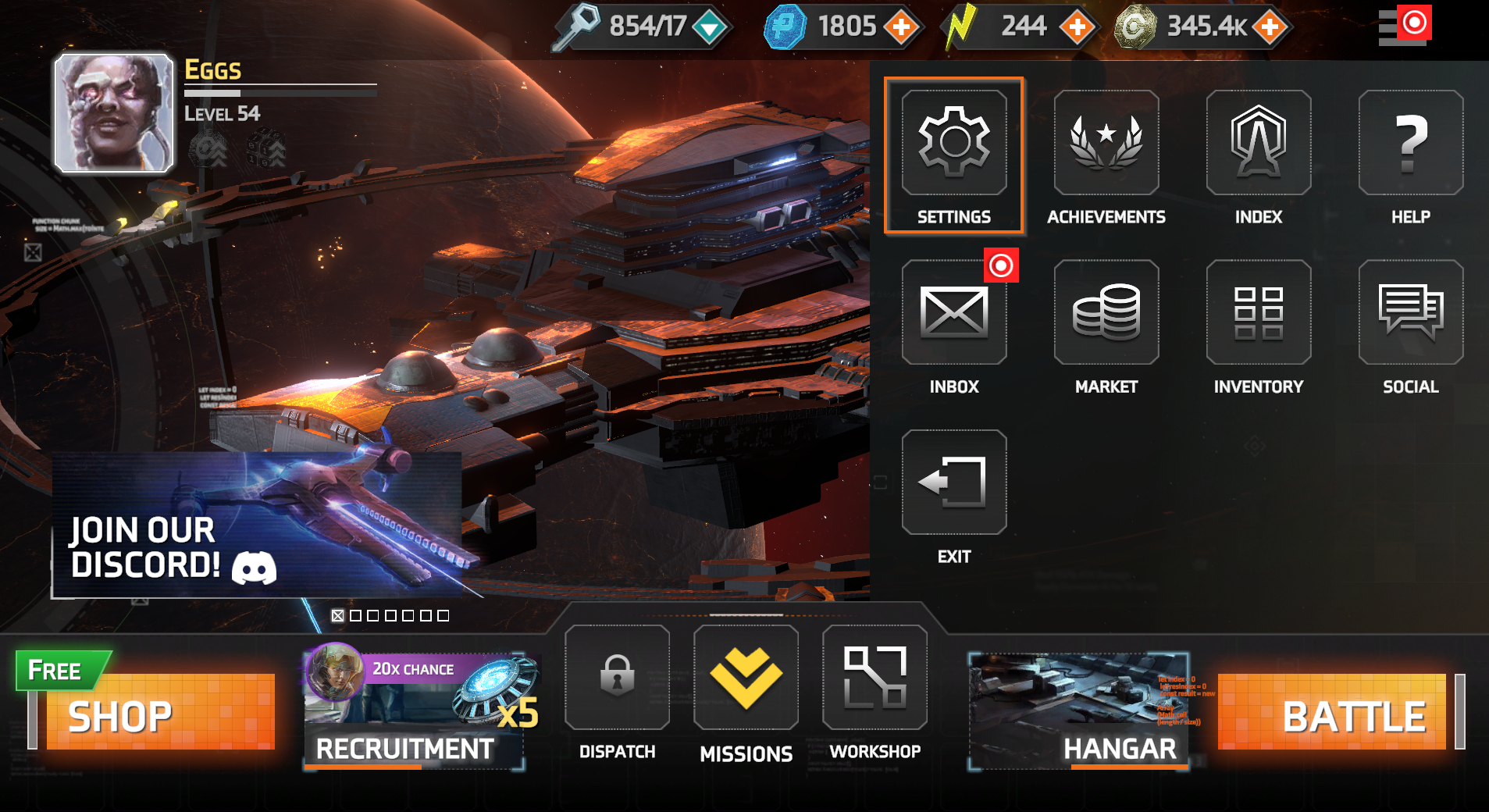
- Go to the drop-down menu and select "Settings" (highlighted below)
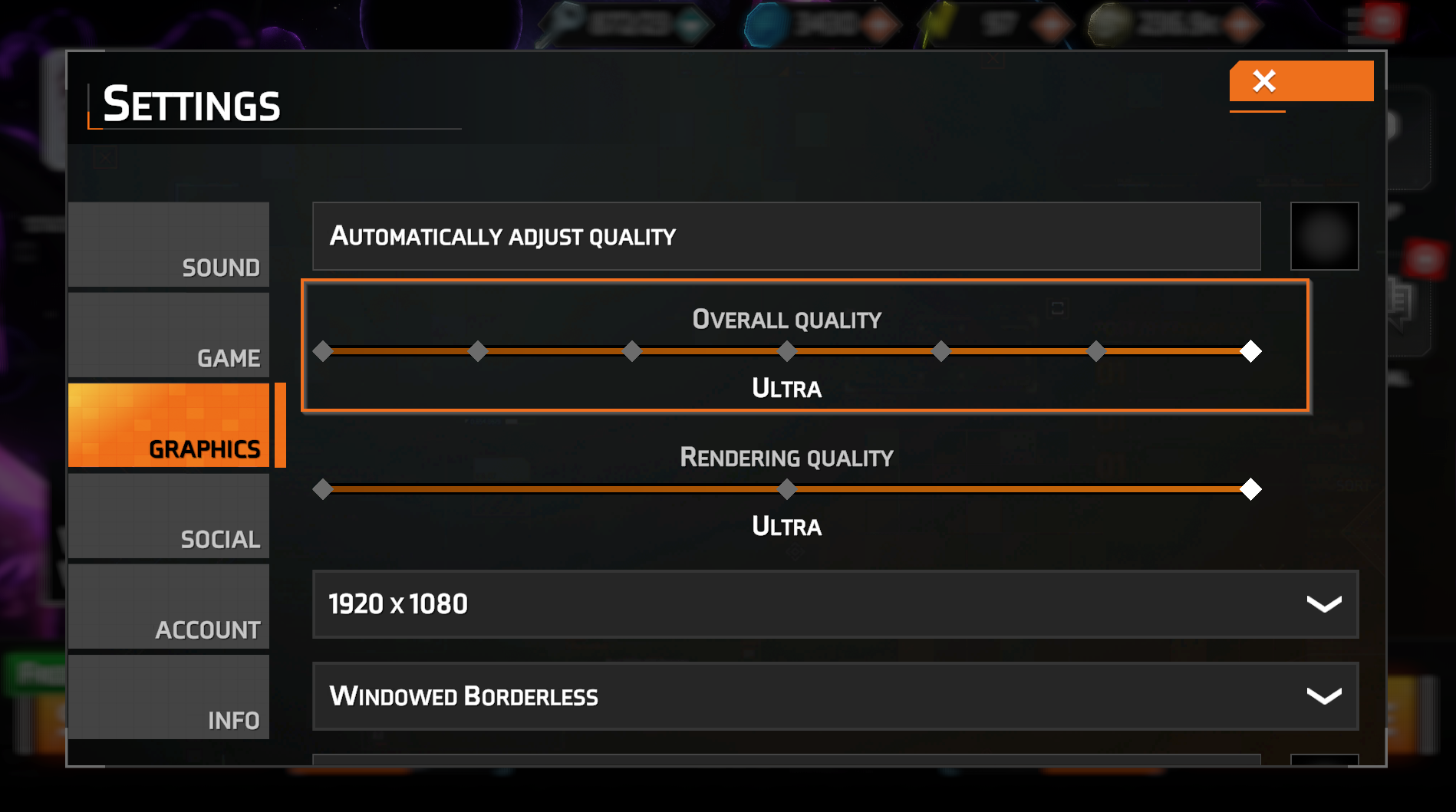
- Go to the “Graphics” tab.
- Turn down the “Overall Quality” via the slider (highlighted below)
Check your internet connection
For mobile devices, try switching between mobile data and Wi-Fi to see if the connection improves with one of those options.
For PC, check your Wi-Fi signal strength and verify if the issue occurs with other games or apps. If you're experiencing issues with Wi-Fi, try using a wired connection to improve stability.
Check the storage on your device
Ensure your device meets the minimum requirements for the game:
Android: 3 GB
iOS: 3 GB
Steam/PC: 3 GB
Clear the app cache (Android)
- Go to "Settings" on your device
- Go to "Apps"
- Go to "See all Apps" and select "Starborne: Frontiers"
- Go to "Storage" and select the option to clear your cache
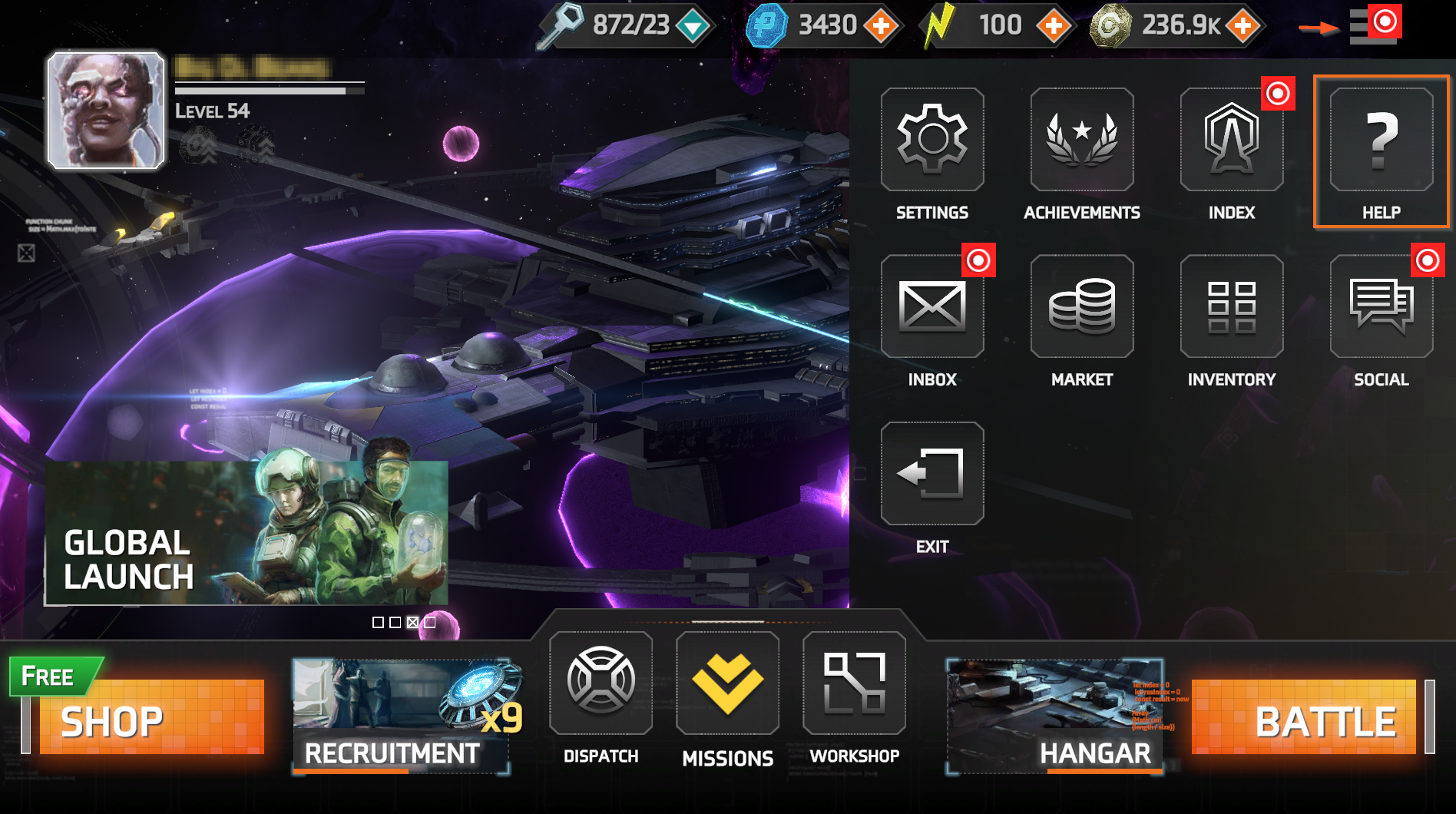
If you are still experiencing issues, please submit a report by selecting the “Help” button in the games drop-down menu (highlighted below) and tapping "Report issue". You will then be directed to our support form. Reporting a bug this way allows us to view your game logs, and resolve the issue more effectively. Alternatively, please get in touch at: https://starbornefrontiers.zendesk.com/hc/en-us/requests/new
For gameplay questions and support, don't forget to check out our helpful Discord community at: https://discord.com/invite/playfrontiers
Solid Clouds hf. Trademarks belong to their respective owners. All rights reserved © 2026