



Support / Gameplay / Social
Friends
Updated May 8, 2025
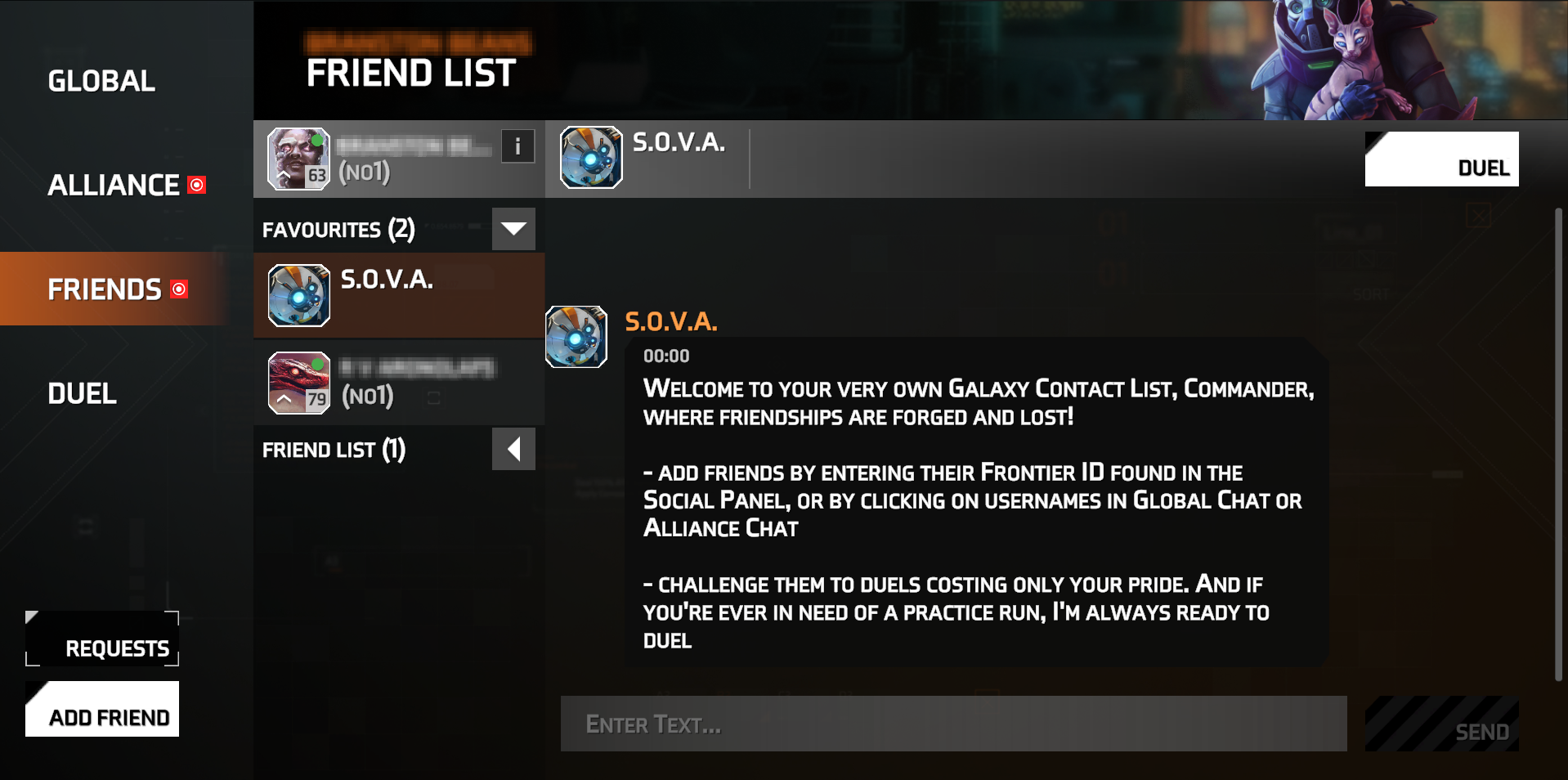
The "Friends" tab allows you to add alliance members as friends or find a commander using their Frontiers ID. Once you’ve added a friend, you can chat with them or send a duel request (see more about duels here).
How to find the friends tab
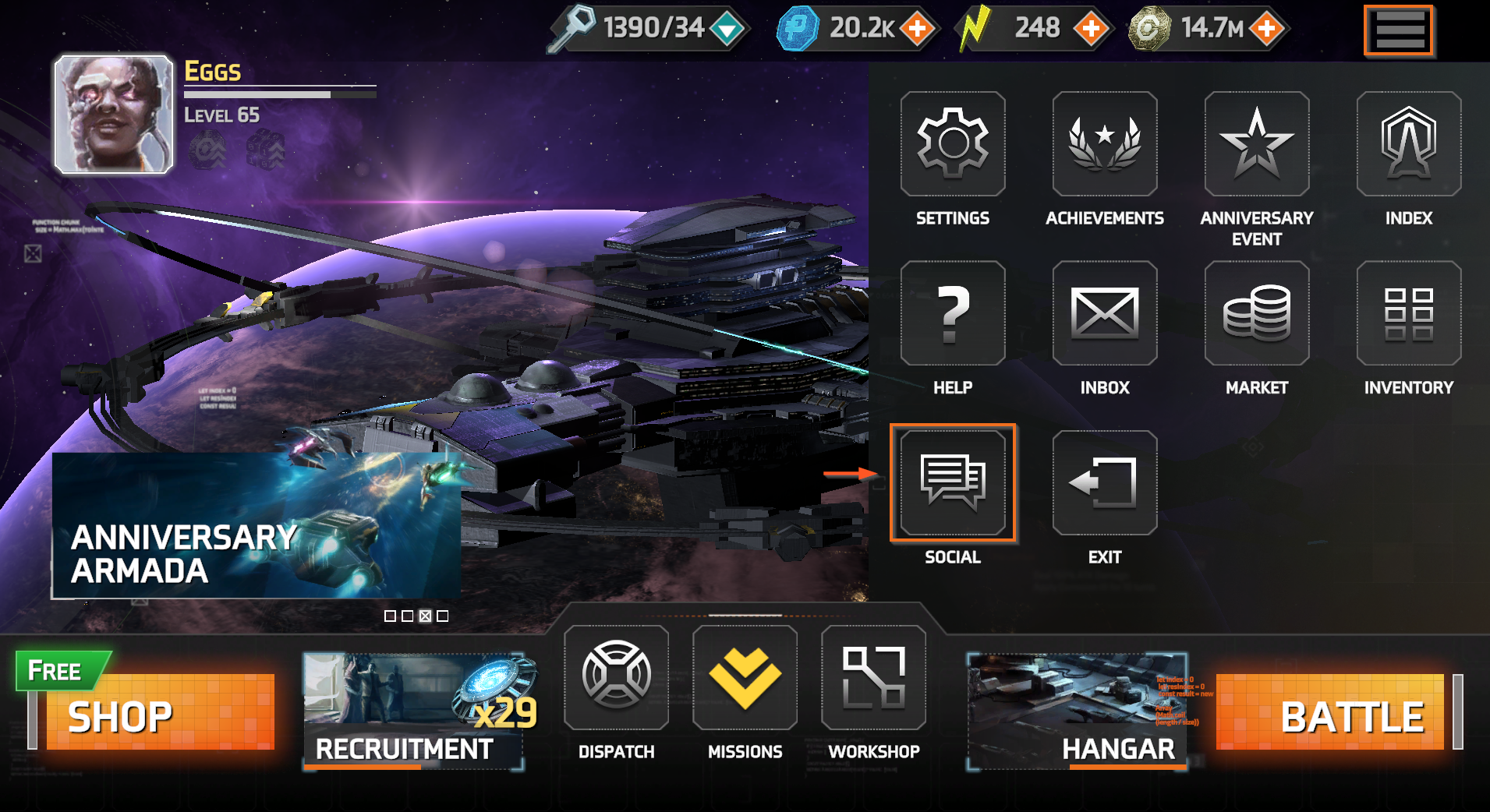
- Open the "Social" panel.
- Select the "Friends" tab.
Send your ID to a friend
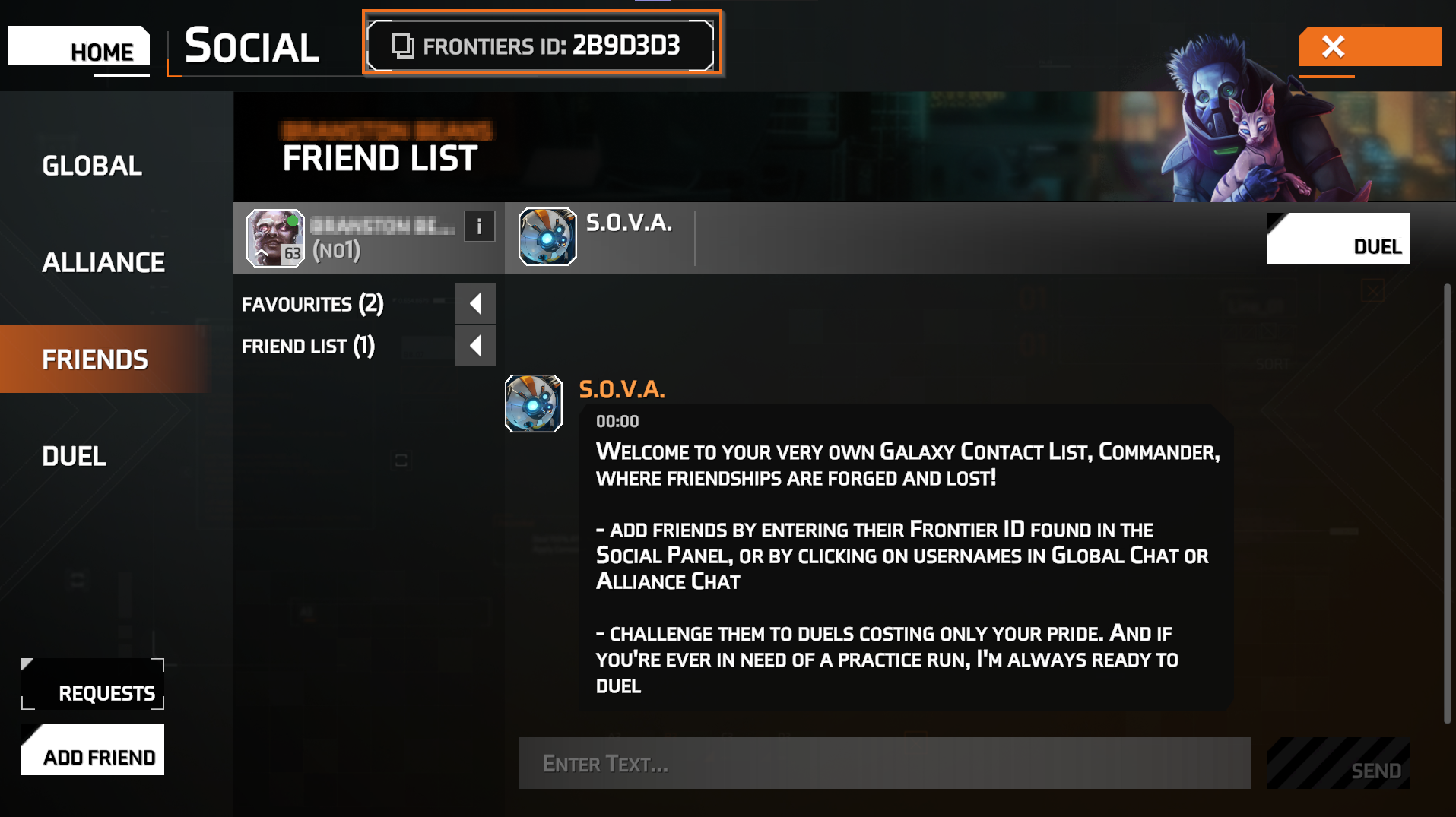
Other players can add you using your Frontiers ID. You can find your ID at the top of the "Friends" panel and copy it using the copy icon for convenience.
How to add friends and accept requests
- Go to the "Friends" tab.
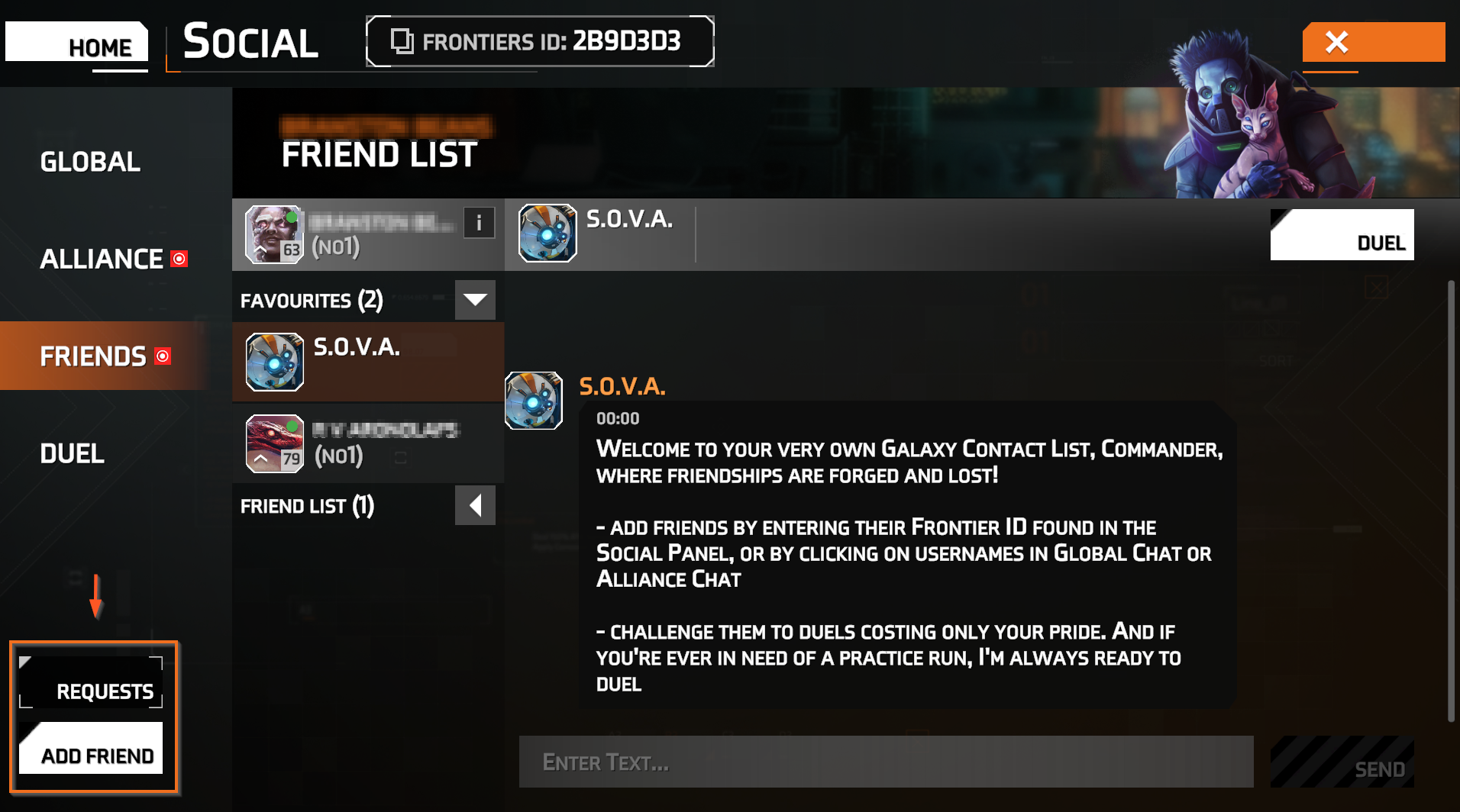
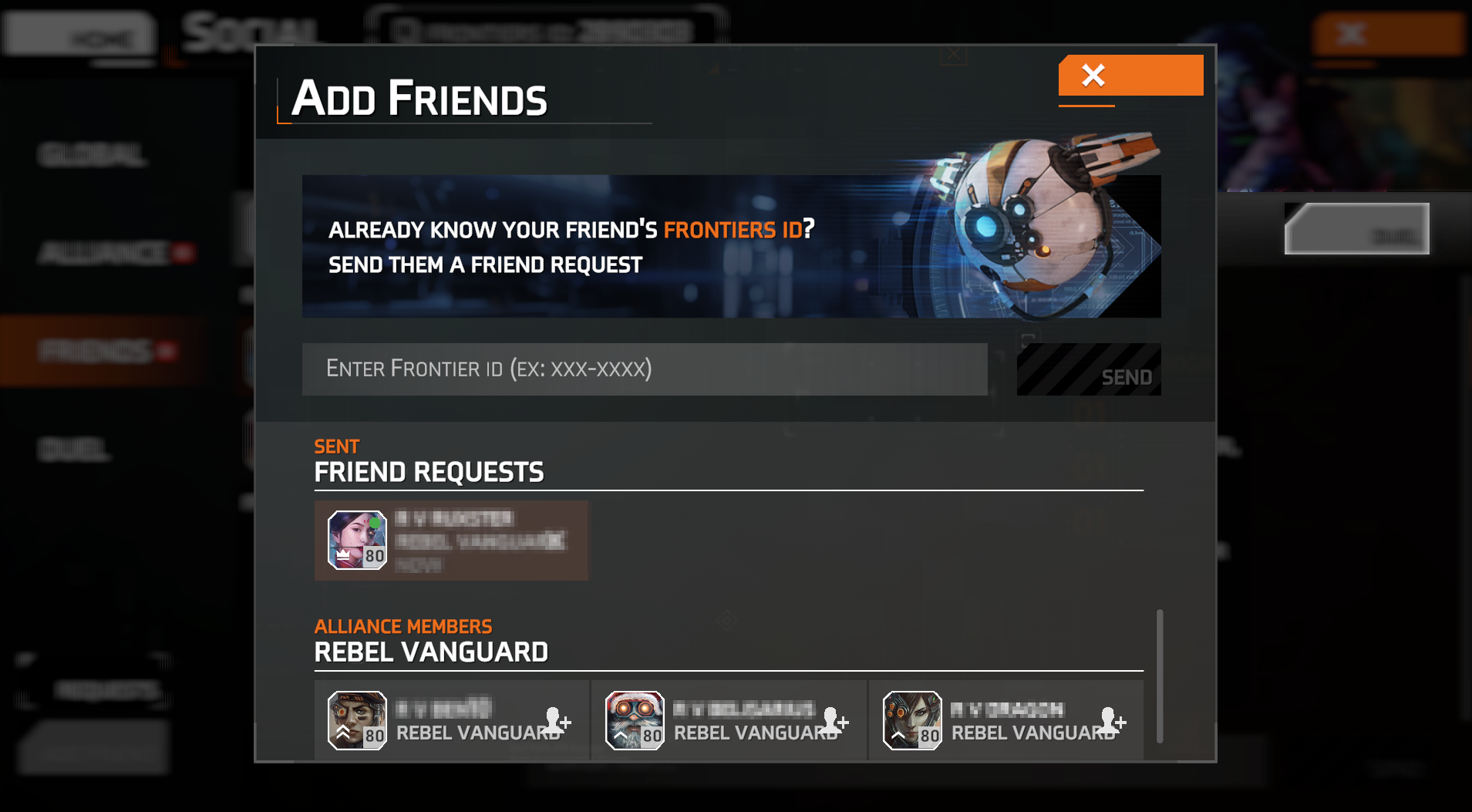
- Select "Add Friend" to send a request.
- To accept a request, go to the "Requests" tab and approve it.
- You can add a friend by entering their Frontiers ID or selecting a member of your Alliance.
Add friends to favorites
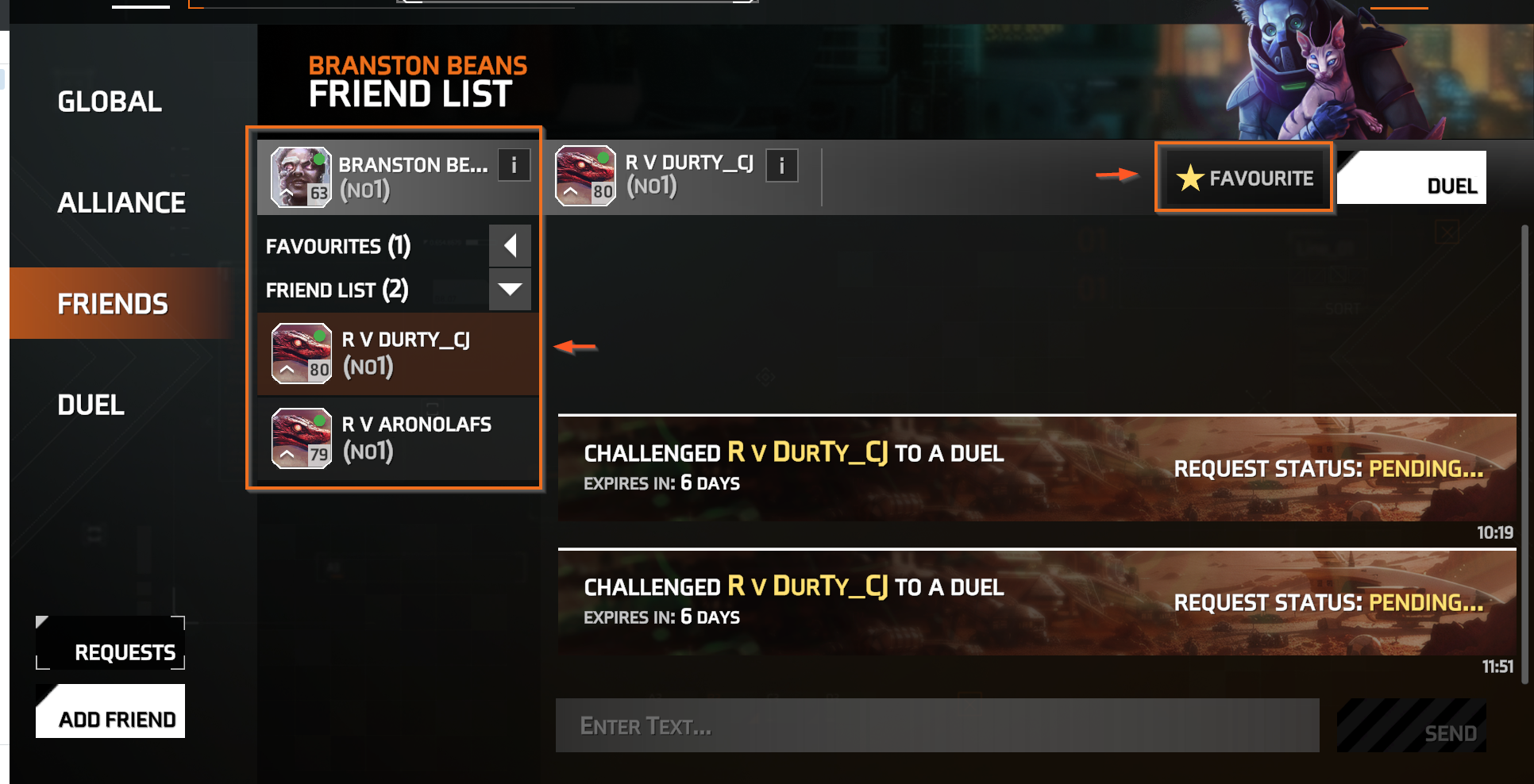
- Go to the "Friends" tab.
- Select a friend from your list.
- Choose Favorite or Unfavorite to manage your preferred contacts.
Chat and duel
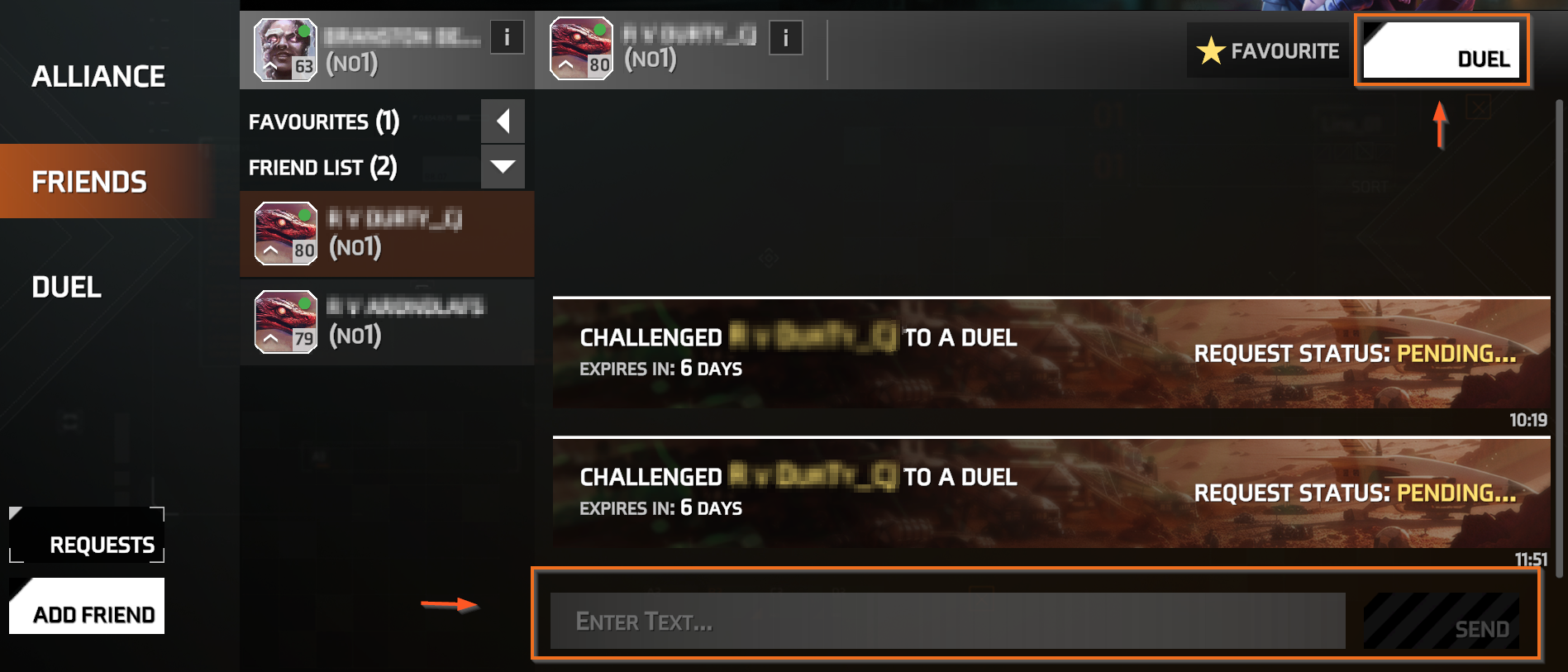
You can chat with players directly from the "Friends" tab or send them a Duel Request to challenge them to an unranked arena battle.
Solid Clouds hf. Trademarks belong to their respective owners. All rights reserved © 2026