



Support / Gameplay / Social
Duels
Updated May 8, 2025
Duel requests can be sent to players on your friend list. Unlike the arena, dueling does not award Engineering Points or Blood Tokens. Additionally, you will not lose Arena Tokens, and your Arena rating will remain unaffected.
Request a duel
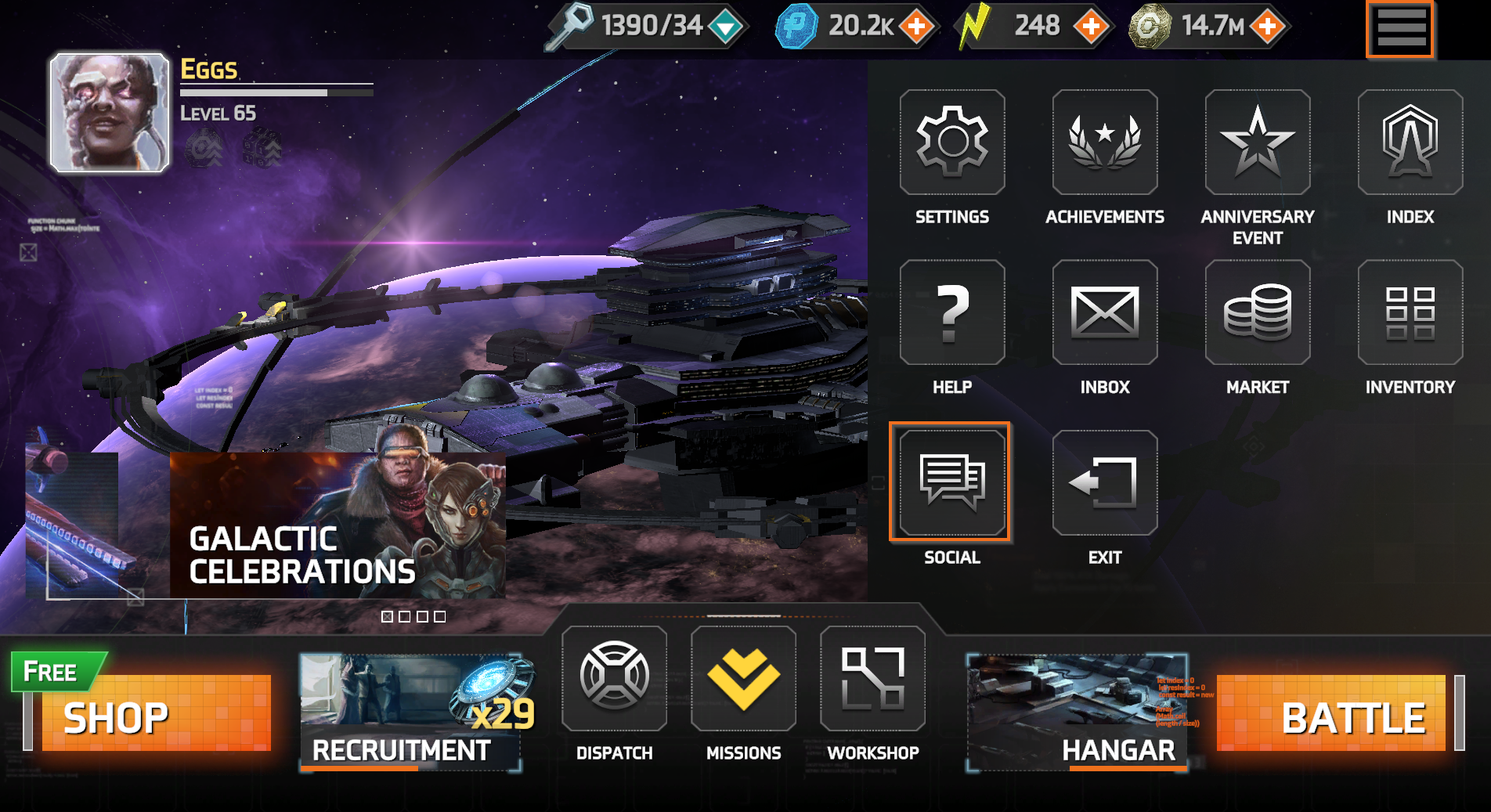
- Navigate to the social tab (Step 1).
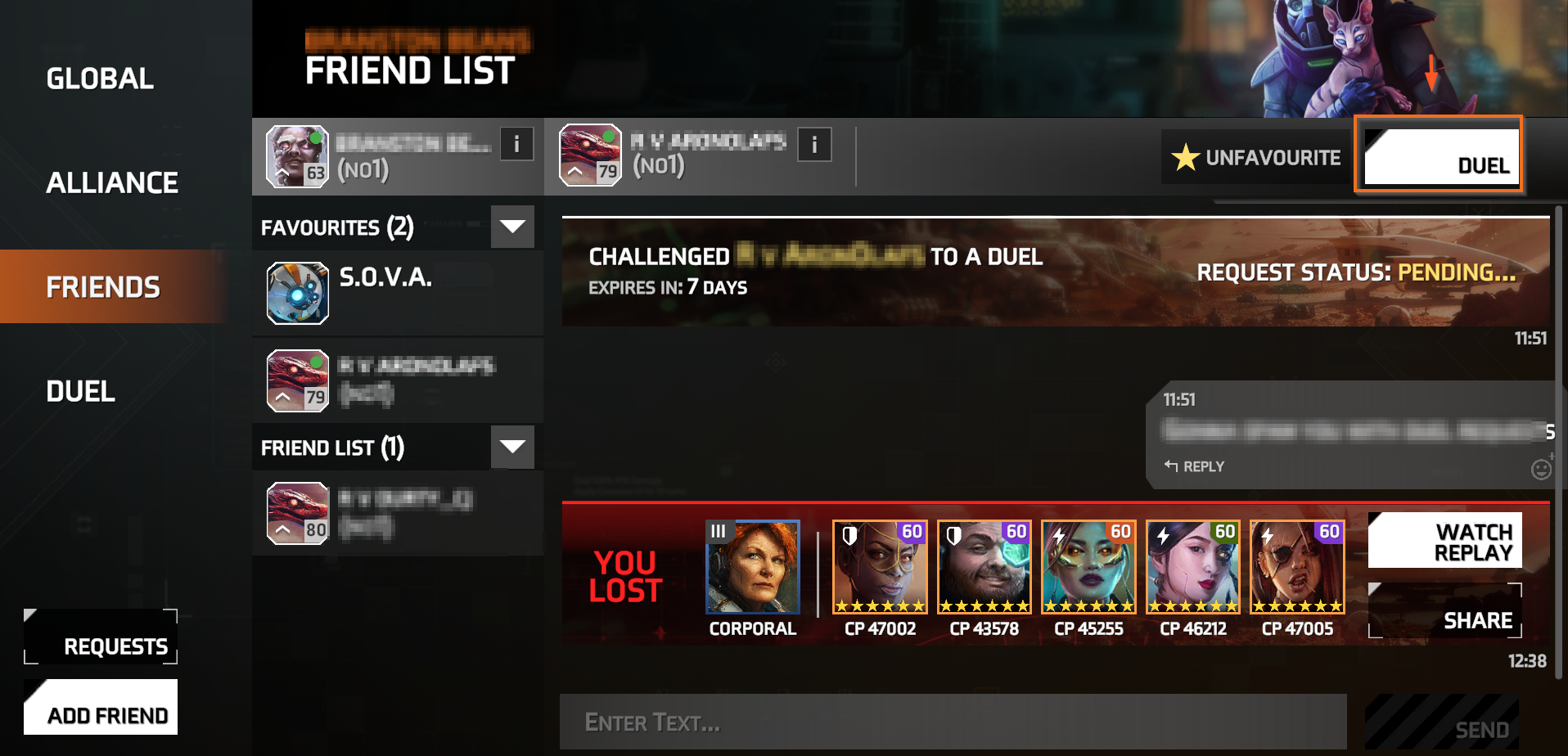
- Navigate to the "Friends" tab (Step 2).
- Select a friend from the sidebar.
- Click the "Duel" option at the top of the chat window.
Step 1
Step 2
View your pending requests
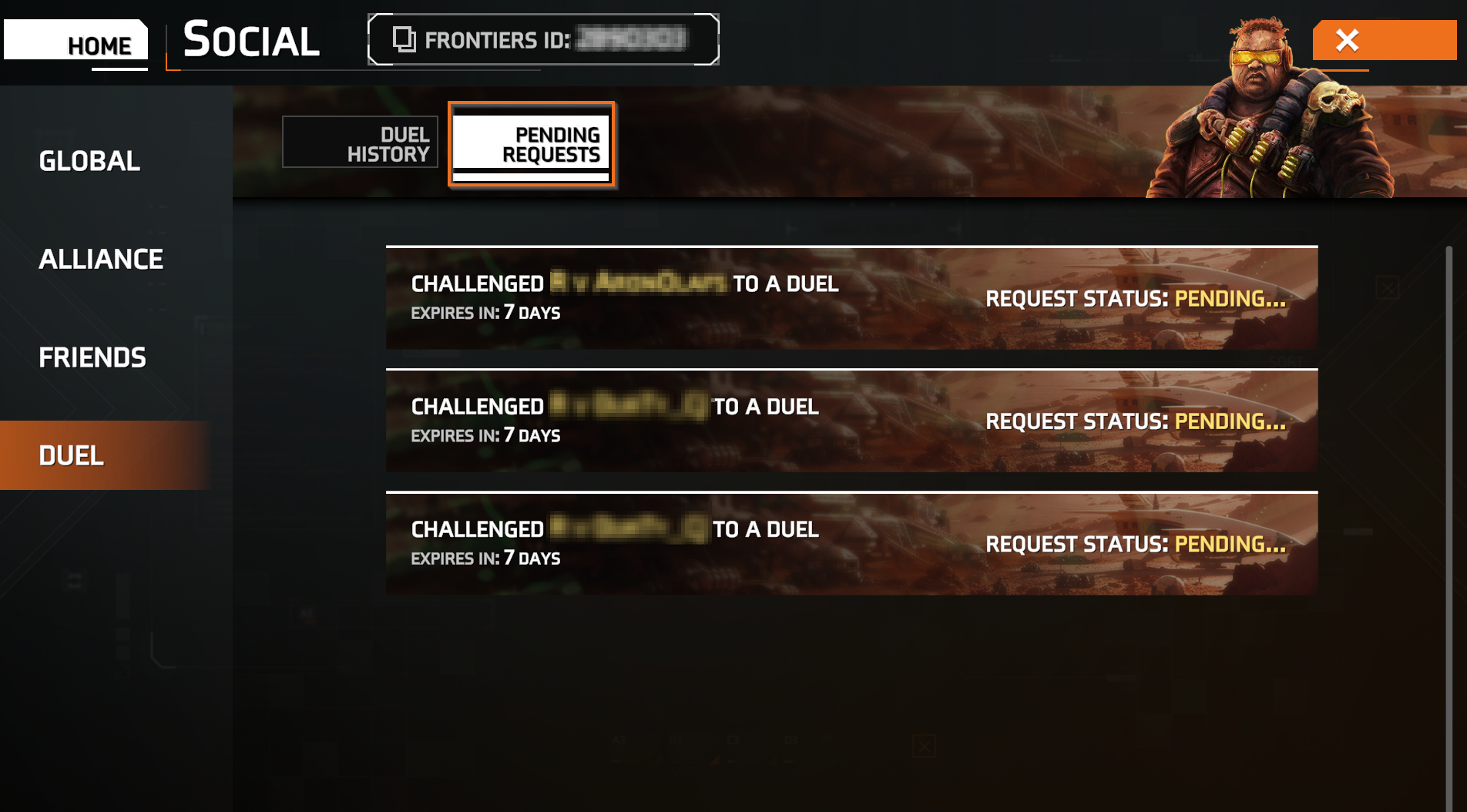
- Open the "Duel" tab.
- Select the "Pending" tab to check the status of sent and received duel requests.
Duel history
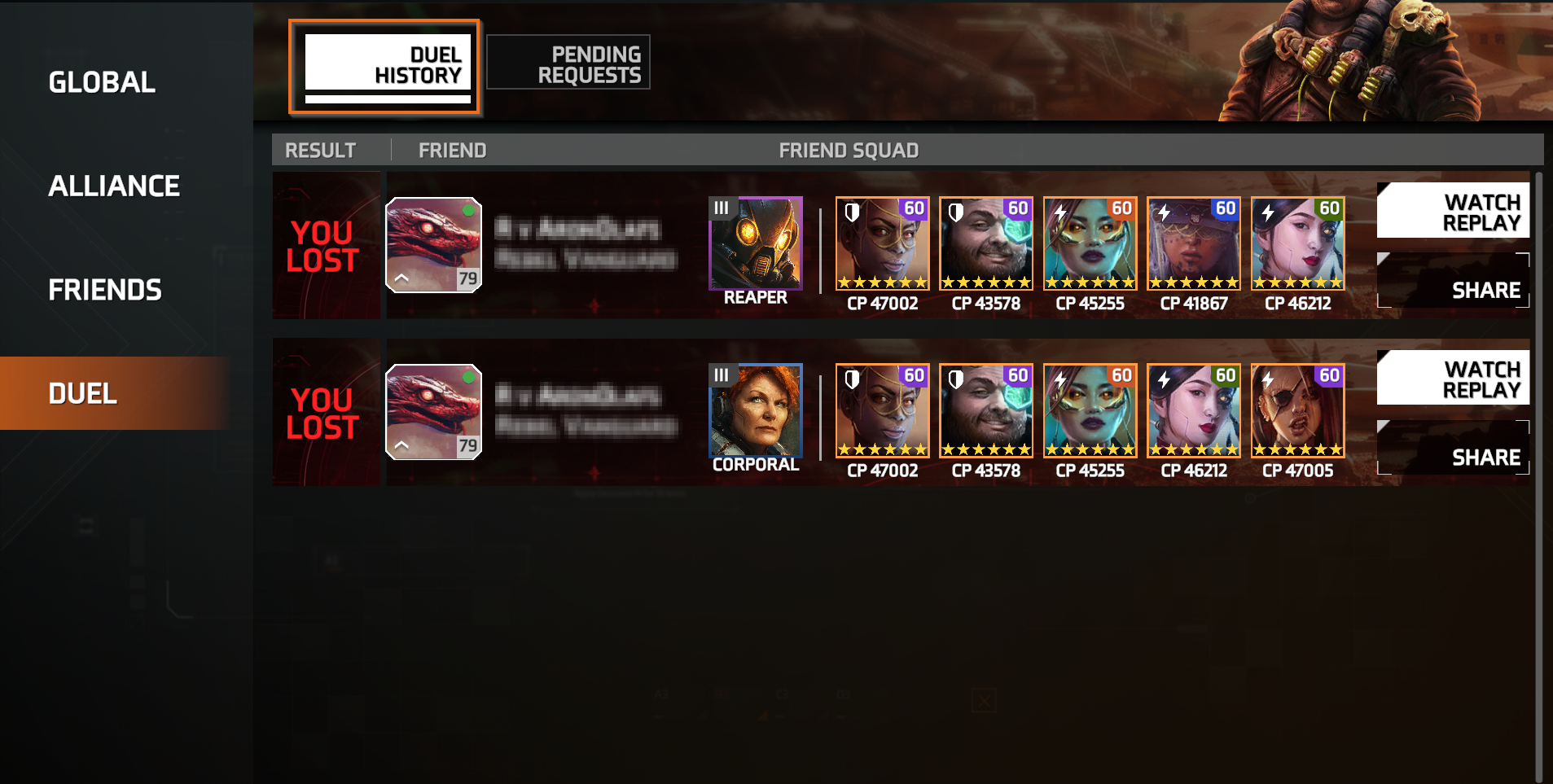
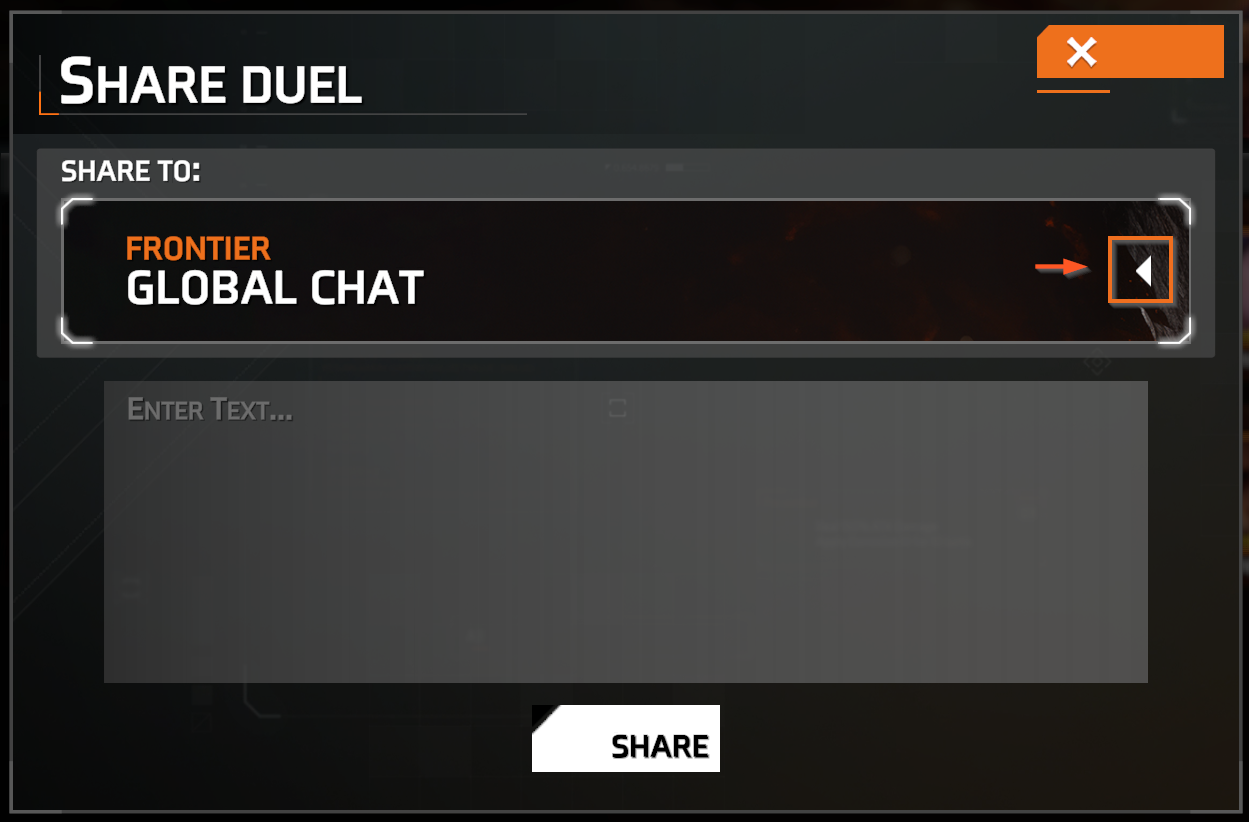
Duel history allows you to review past battles, including the lineup of your opponent's team and each unit's combat points. In this panel, you can watch a replay to view the battle again or share the replay with your alliance or global chat.
Share your duel
- Open the "Duel History" tab and click "Share."
- Choose your destination (Alliance Chat or Global Chat).
- Enter a message (optional) and select "Share" to send the replay.
Solid Clouds hf. Trademarks belong to their respective owners. All rights reserved © 2026