


Crafting
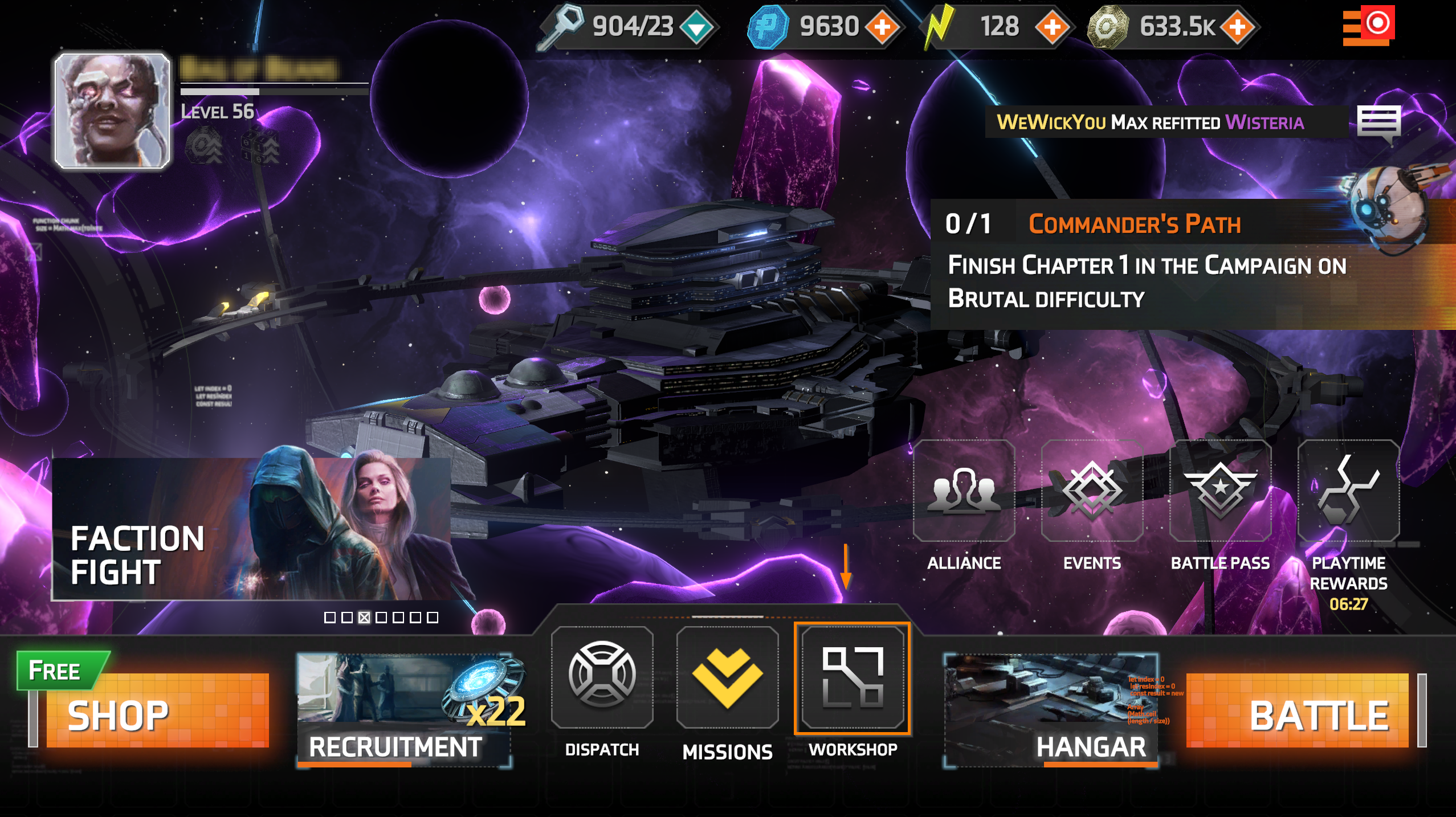
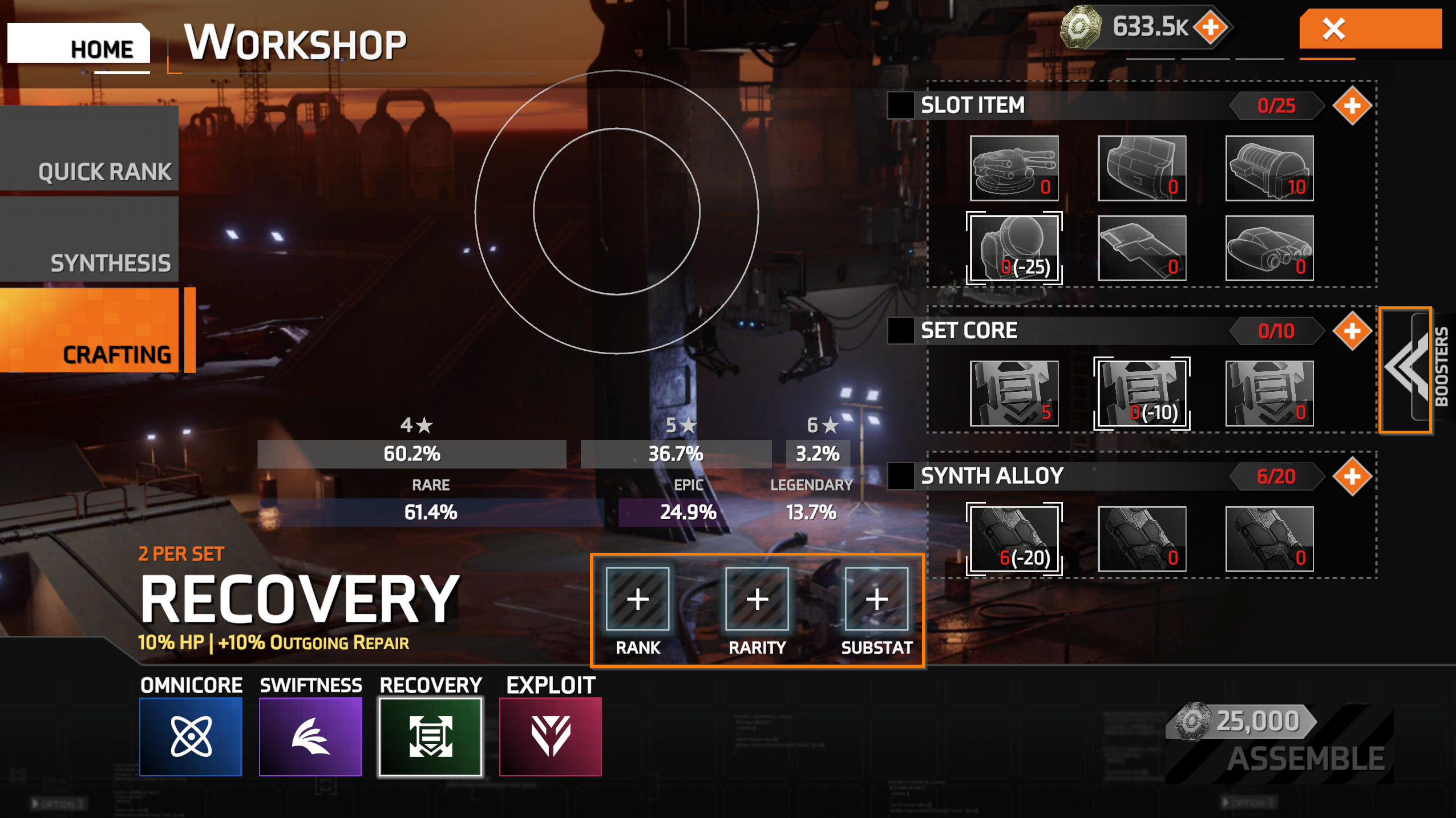
Crafting allows you to create specific equipment sets using resources gathered throughout the game. These sets can only be obtained via the crafting feature. You can access the crafting feature via the workshop (shown below).
Crafting materials
Required resources
Each set will require a specific number of resources in each category listed below.
Slot Resource: Determines which equipment slot you’ll be crafting (Weapon, Hull, Sensor, etc)
Core Resource: Is unique to the equipment slot that’s being crafted and comes in three rarities
Tech Resource: Can differ between sets and comes in three rarities
Note: The Rarity of the Core and Tech Resource can affect the crafting chances of higher level equipment. The higher the rarity the higher the chances of crafting a 6* Legendary equipment piece.
Boosters
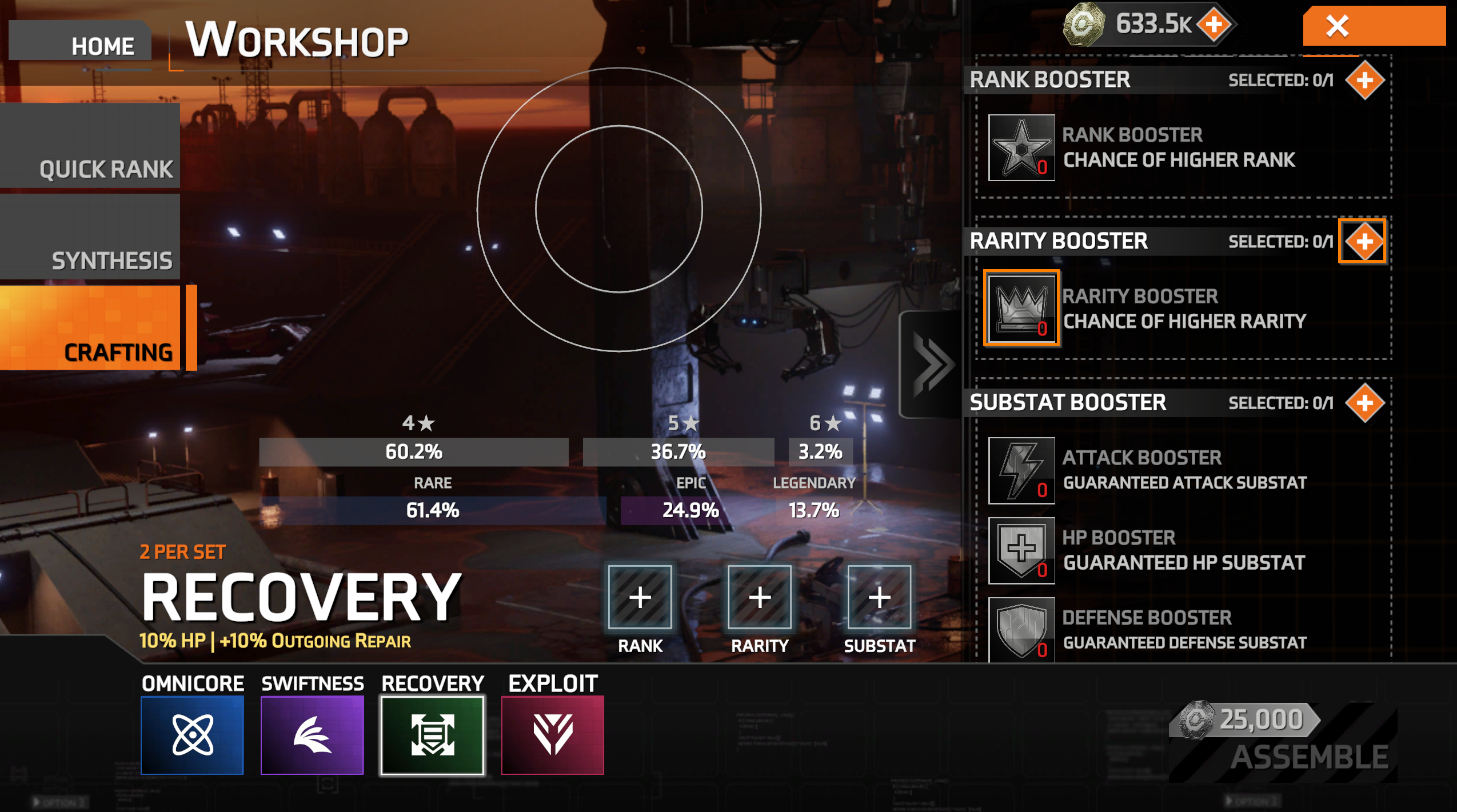
You can add optional boosters to increase your chances of crafting a better equipment piece.
Rank Booster: Increases the chances of a higher rank item
Rarity Booster: Increases the chances of a higher rarity item
Sub-Stat Booster: Guarantees one sub-stat on the item
How to craft gear
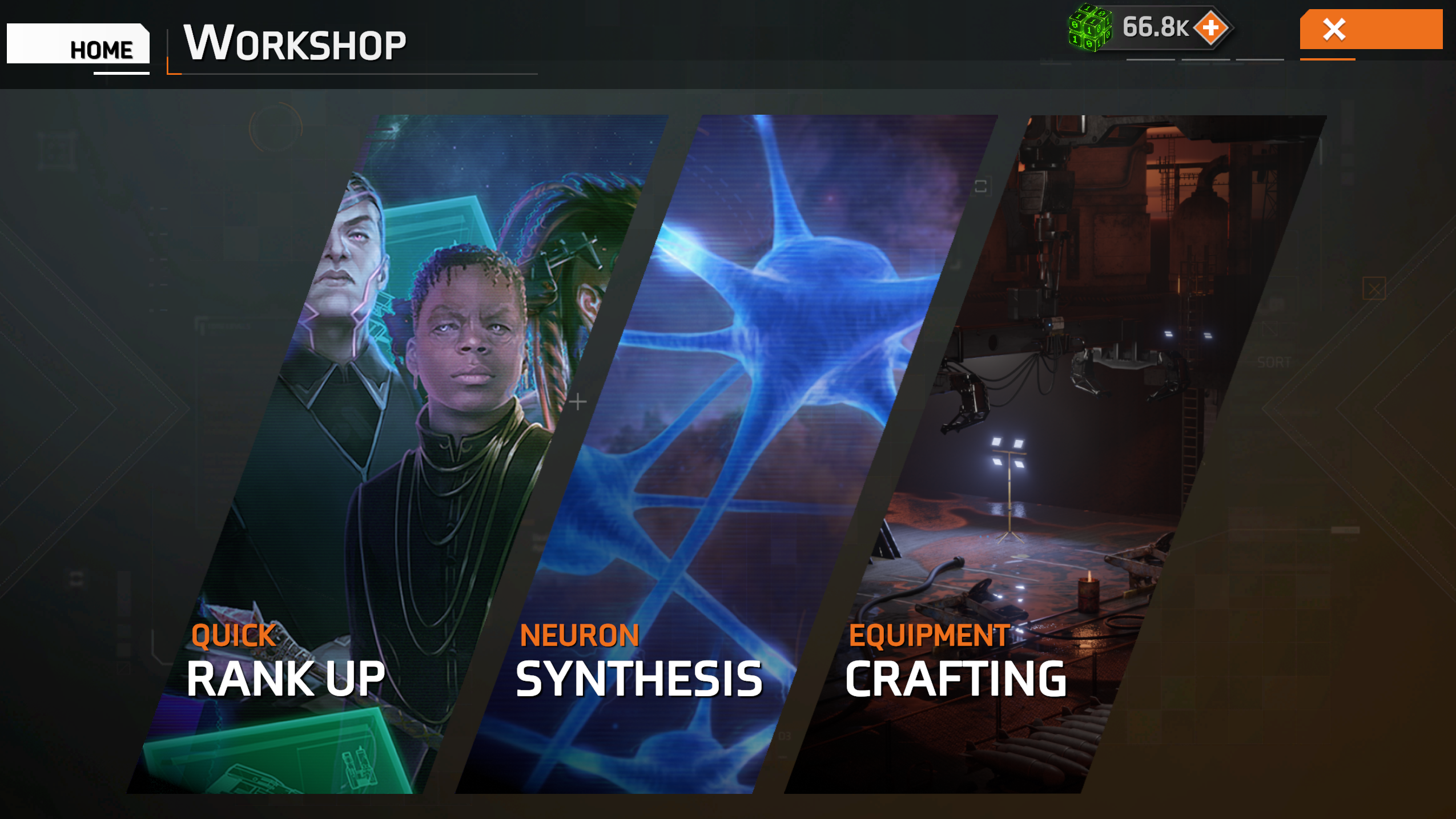
- Select the set you want to craft (1)
- Select which gear slot you would like to craft the item for (2)
- Select the Set Core materials you would like to use - there are 3 rarities to choose from (3)
- Select which rarity of Synth Alloy/Quantum Fiber you want to use (4)
- The number of resources required is displayed in red next to the plus symbol
- The number of owned resources is shown on the resource's icon
- Tap or click the plus icon to see where the resource can be obtained (5)
- If adding boosters, select the booster tab (see below)
- Tap or click assemble in the bottom right corner (this will cost a specific number of credits depending on the rarity of your crafting materials)
Adding boosters
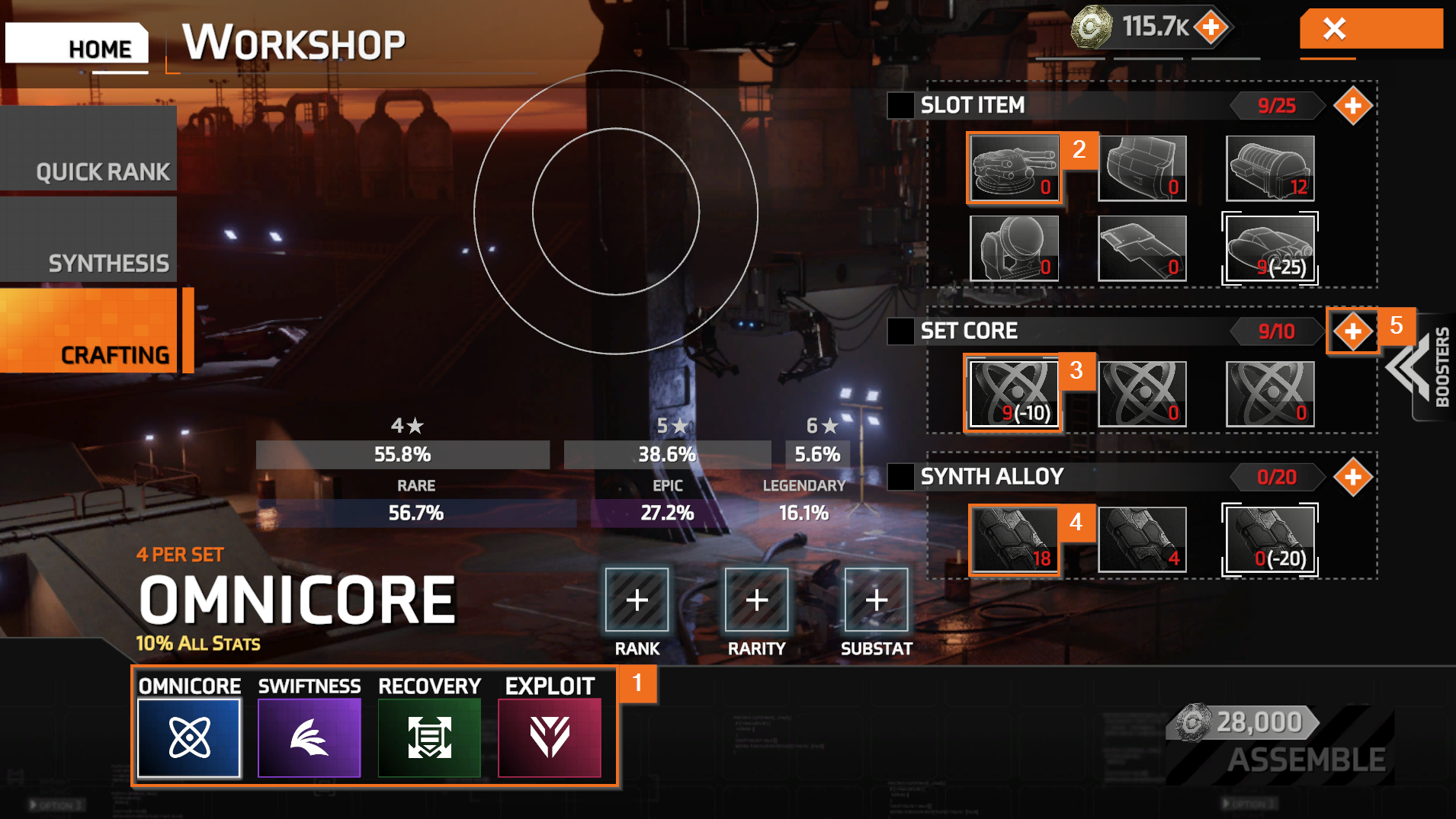
- Select the booster type to navigate to a specific booster slot, or click/tap the "Boosters" tab (shown below).
- Select the icon for the booster you want to add (highlighted below).
- Tap the plus symbol to find out where the booster can be obtained.
Craftable Gear and set bonuses
Omnicore (4 per set)
Set bonus: 10% to all stats

Swiftness (2 per set)
15% speed/10 hacking

Recovery (2 per set)
10% HP/+10% outgoing repair

Exploit (2 piece set)
20 hacking/10% attack

Solid Clouds hf. Trademarks belong to their respective owners. All rights reserved © 2026